

Using axis ranges to highlight weekends
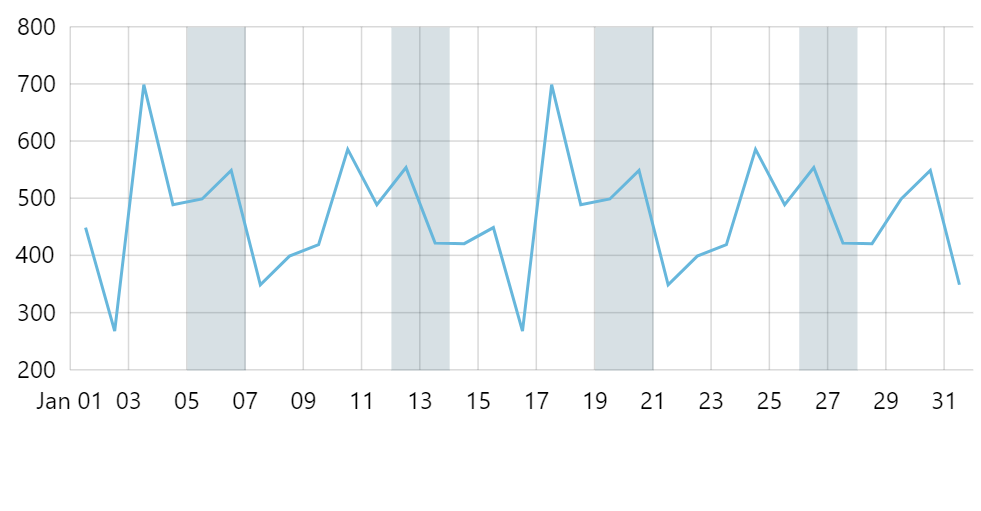
Axis ranges is a good way to highlight specific places or stretches along an axis. This tutorial will show how we can create code to automatically create axis ranges to highlight weekends on a DateAxis.
The task
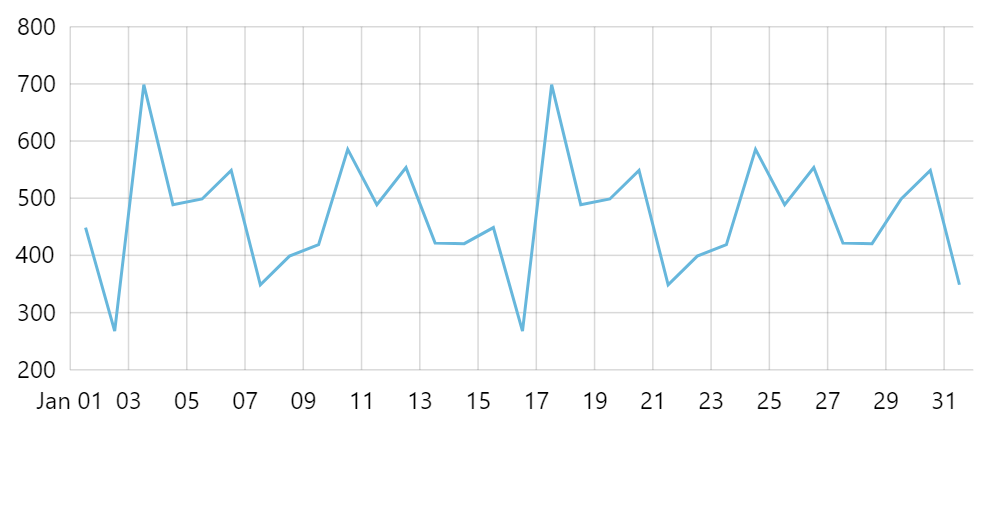
Section titled “The task”Say, we have a chart that shows line series along a date-based axis.
To make our user understand data better, we want to highlight weekends in it.
Adding weekend ranges
Section titled “Adding weekend ranges”We could go ahead and create a separate axis range for each weekend directly in code, e.g.:
var range = xAxis.createAxisRange(xAxis.makeDataItem({  value: new Date(2019, 0, 5).getTime(),  endValue: new Date(2019, 0, 7).getTime()}));
range.get("axisFill").setAll({  fillOpacity: 0.1,  fill: am5.color(0x000000),  visible: true});
range.get("grid").setAll({  visible: false});
var range = xAxis.createAxisRange(xAxis.makeDataItem({ value: new Date(2019, 0, 5).getTime(), endValue: new Date(2019, 0, 7).getTime()}));
range.get("axisFill").setAll({ fillOpacity: 0.1, fill: am5.color(0x000000), visible: true});
range.get("grid").setAll({ visible: false});However, that raises obvious problems: we would need to repeat the code for each weekend, as well as remember to update it every time our data range changes, etc.
Let’s create a code that checks the actual range of the axis dates, then creates axis ranges for each weekend in that range.
series.events.on("datavalidated", function(ev) {  let axis = ev.target;  let start = xAxis.getPrivate("min", 0);  let end = xAxis.getPrivate("max", 1);
  // Get weekends  let current = start;  while (current < end) {    // Get weekend start and end dates    let date = new Date(current);    let weekendStart = getWeekend(date);    let weekendEnd = new Date(weekendStart);    weekendEnd.setDate(weekendEnd.getDate() + 2);
    // Create a range    let range = xAxis.createAxisRange(xAxis.makeDataItem({      value: weekendStart.getTime(),      endValue: weekendEnd.getTime()    }));
    range.get("axisFill").setAll({      fillOpacity: 0.1,      fill: am5.color(0x000000),      visible: true    });
    range.get("grid").setAll({      visible: false    });
    // Iterate    date.setDate(date.getDate() + 7);    current = date.getTime();  }
function getWeekend(date) { let lastday = date.getDate() - (date.getDay() || 7) + 6; let lastdate = new Date(date); lastdate.setDate(lastday); return lastdate; }});series.events.on("datavalidated", function(ev) { var axis = ev.target; var start = xAxis.getPrivate("min", 0); var end = xAxis.getPrivate("max", 1);
// Get weekends var current = start; while (current < end) { // Get weekend start and end dates var date = new Date(current); var weekendStart = getWeekend(date); var weekendEnd = new Date(weekendStart); weekendEnd.setDate(weekendEnd.getDate() + 2);
// Create a range var range = xAxis.createAxisRange(xAxis.makeDataItem({ value: weekendStart.getTime(), endValue: weekendEnd.getTime() }));
range.get("axisFill").setAll({ fillOpacity: 0.1, fill: am5.color(0x000000), visible: true });
range.get("grid").setAll({ visible: false });
// Iterate date.setDate(date.getDate() + 7); current = date.getTime(); }
function getWeekend(date) { var lastday = date.getDate() - (date.getDay() || 7) + 6; var lastdate = new Date(date); lastdate.setDate(lastday); return lastdate; }});We are using axis’ datavalidated event to start populating with axis ranges because we need to know actual date range, so we need all data to be processed before proceeding.