Column series
This tutorial looks at various aspects of creating column series.
Creating
Section titled “Creating”Column series is created by instantiating ColumnSeries object using new() method, and pushing it into chart’s series list:
let series = chart.series.push( am5xy.ColumnSeries.new(root, { name: "Series", xAxis: xAxis, yAxis: yAxis, valueYField: "value", valueXField: "date" }));var series = chart.series.push( am5xy.ColumnSeries.new(root, { name: "Series", xAxis: xAxis, yAxis: yAxis, valueYField: "value", valueXField: "date" }));Configuring appearance
Section titled “Configuring appearance”Stroke and fill colors
Section titled “Stroke and fill colors”Like with any series, it comes with stroke and fill color pre-set from the theme.
Should we want to override theme’s color, we can set it’s stroke (column outline) and/or fill settings.
let series = chart.series.push( am5xy.ColumnSeries.new(root, { name: "Series", xAxis: xAxis, yAxis: yAxis, valueYField: "value", valueXField: "date", fill: am5.color(0x095256), stroke: am5.color(0x095256) }));var series = chart.series.push( am5xy.ColumnSeries.new(root, { name: "Series", xAxis: xAxis, yAxis: yAxis, valueYField: "value", valueXField: "date", fill: am5.color(0x095256), stroke: am5.color(0x095256) }));Column appearance settings
Section titled “Column appearance settings”Stroke (column border) and fill colors are automatically used from series settings. All other options can be configured using series’ element templates.
In column series there’s only one element template: columns.template.
Let’s make column fill semi-transparent using fillOpacity setting, as well as the border heavier, with rounded top corners:
series.columns.template.setAll({ fillOpacity: 0.5, strokeWidth: 2, cornerRadiusTL: 5, cornerRadiusTR: 5});series.columns.template.setAll({ fillOpacity: 0.5, strokeWidth: 2, cornerRadiusTL: 5, cornerRadiusTR: 5});Clustering
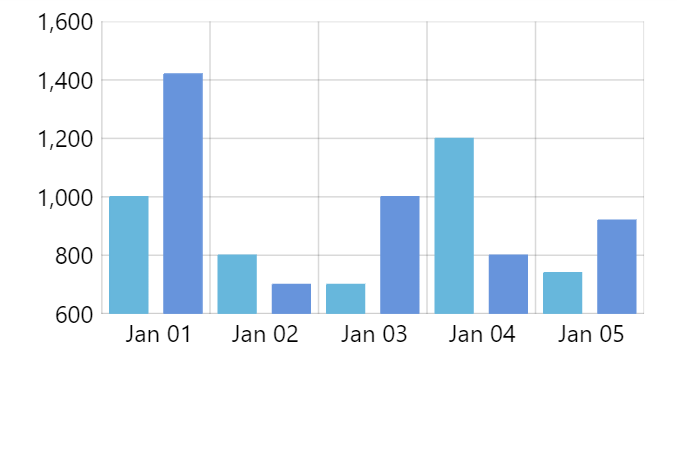
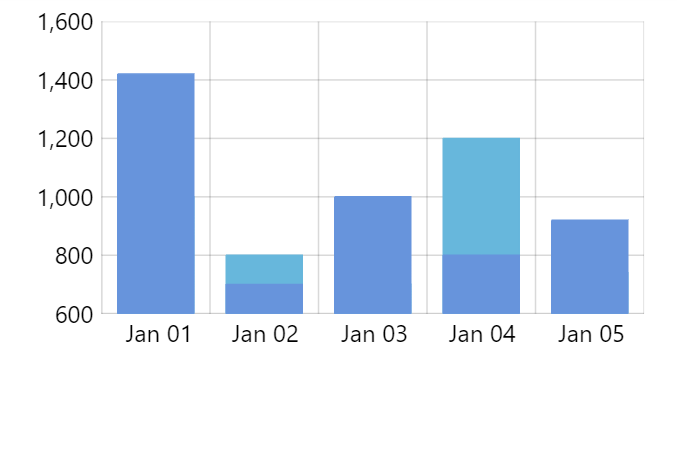
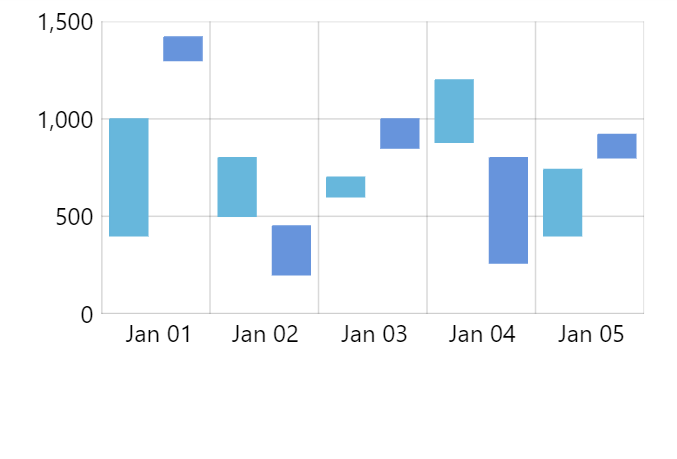
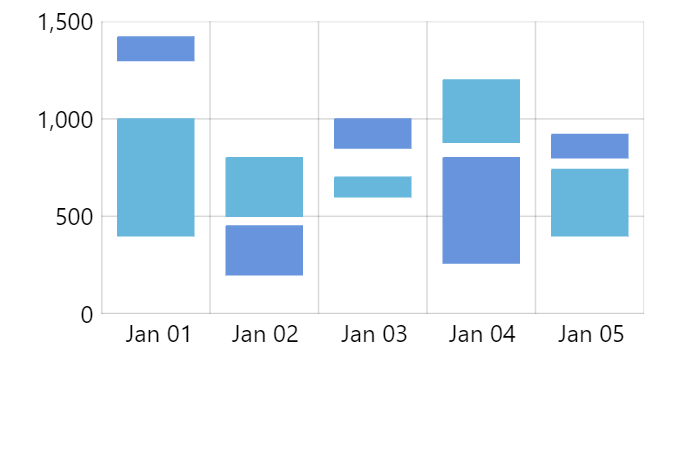
Section titled “Clustering”Normally, multiple column series will “cluster”, i.e. will show their columns reduced in width side by side.
We can use setting clustered to disable clustering for particular series. It can be useful in a number of situations, most commonly when creating Gantt or similar charts using floating columns.
Stacking
Section titled “Stacking”Enabling stacking
Section titled “Enabling stacking”Stacking for column series is enabled just like for any other XY series: by setting its stacked setting to true.
let series = chart.series.push( am5xy.ColumnSeries.new(root, { name: name, xAxis: xAxis, yAxis: yAxis, valueYField: "value", valueXField: "date", stacked: true }));var series = chart.series.push( am5xy.ColumnSeries.new(root, { name: name, xAxis: xAxis, yAxis: yAxis, valueYField: "value", valueXField: "date", stacked: true }));Column width
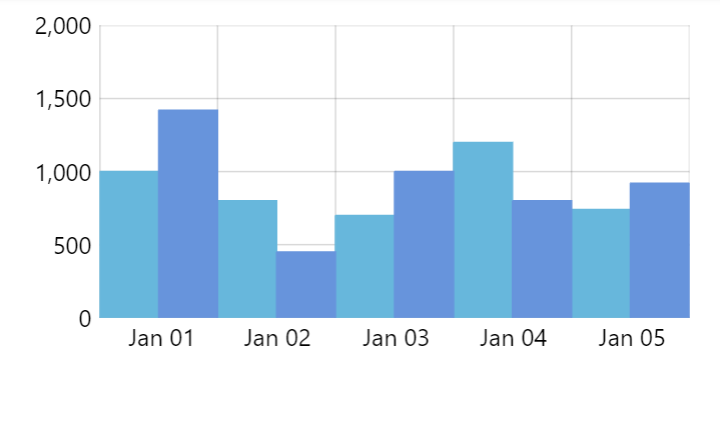
Section titled “Column width”Columns in series take up 80% of available space by default.
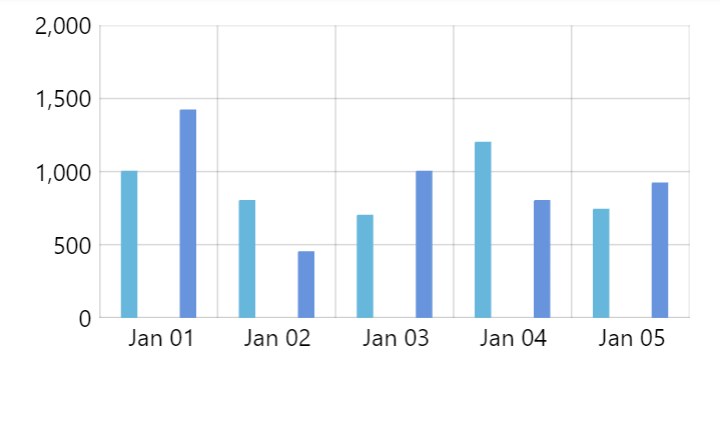
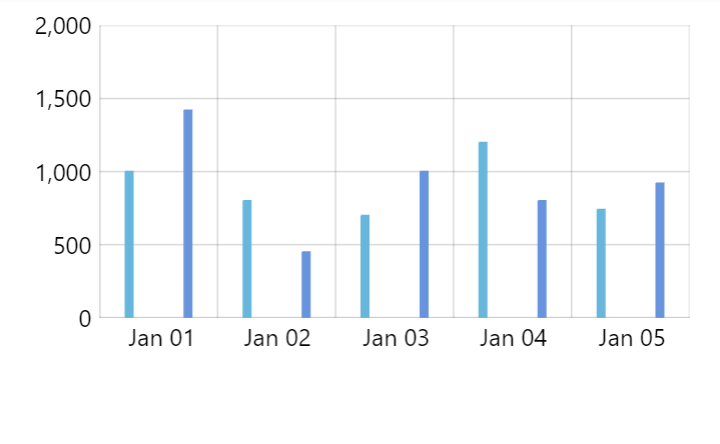
It can be controlled via series columns.template and its width setting (or height if we have a chart with horizontal bars).
width (or height) can either be set in percent value relative to the space available for the series:
series.columns.template.setAll({ width: am5.percent(100)});series.columns.template.setAll({ width: am5.percent(100)});It can also be set in absolute pixel value:
series.columns.template.setAll({ width: 5});series.columns.template.setAll({ width: 5});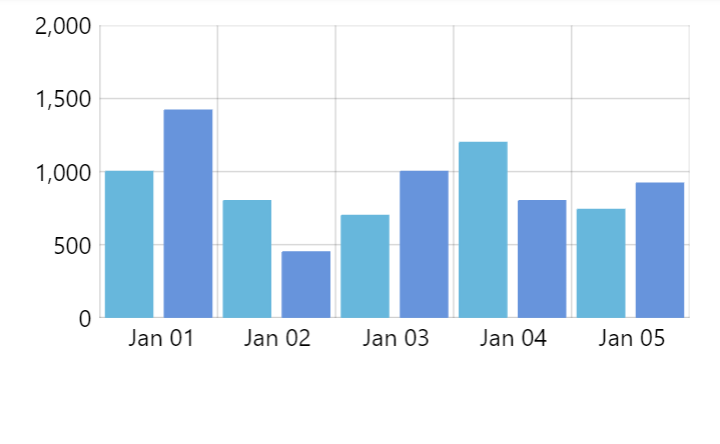
Floating columns
Section titled “Floating columns”Normally, columns start at base value (zero). We can make columns start at different values using open data fields: openValueXField or openValueYField.
let series = chart.series.push( am5xy.ColumnSeries.new(root, { name: name, xAxis: xAxis, yAxis: yAxis, valueYField: "value", valueXField: "date", openValueYField: "openValue" }));var series = chart.series.push( am5xy.ColumnSeries.new(root, { name: name, xAxis: xAxis, yAxis: yAxis, valueYField: "value", valueXField: "date", openValueYField: "openValue" }));The above will mean that columns bottom will start at whatever number is in “openValue” in data, and will end at “value”.
Value-dependent coloring
Section titled “Value-dependent coloring”We can use states to apply different coloring to columns.template based on whether value of the column is higher or lower than the previous column in series.
If the value is higher, the series will attempt to apply a riseFromPrevious state to the column.
If the value is lower, a dropFromPrevious will be applied instead.
We can create those states for our columns.template to make use of this feature:
series.columns.template.states.create("riseFromPrevious", {  fill: am5.color(0x76b041),  stroke: am5.color(0x76b041)});
series.columns.template.states.create("dropFromPrevious", { fill: am5.color(0xe4572e), stroke: am5.color(0xe4572e)});series.columns.template.states.create("riseFromPrevious", { fill: am5.color(0x76b041), stroke: am5.color(0x76b041)});
series.columns.template.states.create("dropFromPrevious", { fill: am5.color(0xe4572e), stroke: am5.color(0xe4572e)});Naturally, we can also modify global theme as well:
root.defaultTheme.rule("RoundedRectangle", ["series", "column"]).create("riseFromPrevious", {  fill: am5.color(0x76b041),  stroke: am5.color(0x76b041)});
root.defaultTheme.rule("RoundedRectangle", ["series", "column"]).create("dropFromPrevious", { fill: am5.color(0xe4572e), stroke: am5.color(0xe4572e)});root.defaultTheme.rule("RoundedRectangle", ["series", "column"]).create("riseFromPrevious", { fill: am5.color(0x76b041), stroke: am5.color(0x76b041)});
root.defaultTheme.rule("RoundedRectangle", ["series", "column"]).create("dropFromPrevious", { fill: am5.color(0xe4572e), stroke: am5.color(0xe4572e)});Adding links to columns
Section titled “Adding links to columns”Columns can act as links, navigating to a URL when clicked. To enable it, set series’ urlField to the name of a data field that holds the target URL. Links are off until urlField is set.
let series = chart.series.push(  am5xy.ColumnSeries.new(root, {    name: "Series",    xAxis: xAxis,    yAxis: yAxis,    valueYField: "value",    valueXField: "date",    urlField: "url"  }));
series.data.setAll([{  date: 1672531200000,  value: 100,  url: "https://en.wikipedia.org/wiki/January"}, {  date: 1675209600000,  value: 120,  url: "https://en.wikipedia.org/wiki/February"}, {  date: 1677628800000,  value: 90,  url: "https://en.wikipedia.org/wiki/March"}]);
var series = chart.series.push( am5xy.ColumnSeries.new(root, { name: "Series", xAxis: xAxis, yAxis: yAxis, valueYField: "value", valueXField: "date", urlField: "url" }));
series.data.setAll([{ date: 1672531200000, value: 100, url: "https://en.wikipedia.org/wiki/January"}, { date: 1675209600000, value: 120, url: "https://en.wikipedia.org/wiki/February"}, { date: 1677628800000, value: 90, url: "https://en.wikipedia.org/wiki/March"}]);Columns with a URL in their data are automatically made clickable and show a pointer cursor. Those without a URL stay unaffected.
By default the URL opens in the same window. Use linkTarget to control where it opens, e.g. "_blank" for a new tab (handy when the chart is embedded in an iframe):
let series = chart.series.push( am5xy.ColumnSeries.new(root, { name: "Series", xAxis: xAxis, yAxis: yAxis, valueYField: "value", valueXField: "date", urlField: "url", linkTarget: "_blank" }));var series = chart.series.push( am5xy.ColumnSeries.new(root, { name: "Series", xAxis: xAxis, yAxis: yAxis, valueYField: "value", valueXField: "date", urlField: "url", linkTarget: "_blank" }));Events
Section titled “Events”The most convenient way to add events to a column series is to set those on its column template.
The following will add a click event to a series columns:
series.columns.template.events.on("click", function(ev) { // column id console.log("Clicked on a column", ev.target.uid); // data item console.log(ev.target.dataItem); // your original data object console.log(ev.target.dataItem.dataContext); // series console.log(ev.target.dataItem.component)});series.columns.template.events.on("click", function(ev) { // column id console.log("Clicked on a column", ev.target.uid); // data item console.log(ev.target.dataItem); // your original data object console.log(ev.target.dataItem.dataContext); // series console.log(ev.target.dataItem.component)});Turbo mode
Section titled “Turbo mode”Data-heavy Column series (and derivatives like Candlestick series) can get sluggish when rendering them.
For such setups, “turbo” mode can be enabled. It will simplify rendering process, drawing columns directly on canvas, speeding it significantly in the process.
let series = chart.series.push( am5xy.ColumnSeries.new(root, { name: "Series", xAxis: xAxis, yAxis: yAxis, valueYField: "value", valueXField: "date", turboMode: true }));var series = chart.series.push( am5xy.ColumnSeries.new(root, { name: "Series", xAxis: xAxis, yAxis: yAxis, valueYField: "value", valueXField: "date", turboMode: true }));The drawbacks of the “turbo mode” is that some of the functionality will not be available:
- Adding interactive events to columns, like
pointeroverevents. - Rounded corners are not supported.