Heat legend
Heat legend is a visual tool that usually compliments a chart with heat rules.
Adding
Section titled “Adding”We can add a heat legend like a regular legend, by pushing and instance of HeatLegend into chart’s children.
Heat legend also requires at least two settings: startColor and endColor (or colors instead).
Those will define colors for start (lowest value end) and end (highest value end) of the legend.
let heatLegend = chart.children.push( am5.HeatLegend.new(root, { orientation: "vertical", endColor: am5.color(0x661f00), startColor: am5.color(0xff621f) }));var heatLegend = chart.children.push( am5.HeatLegend.new(root, { orientation: "vertical", endColor: am5.color(0x661f00), startColor: am5.color(0xff621f) }));Orientation
Section titled “Orientation”Heat legend can either be arranged horizontally or vertically.
We can use orientation setting for that. It accepts either "vertical" or "horizontal".
Start/end labels
Section titled “Start/end labels”Legend will not show any labels by default.
If we want some labels shown at legend’s ends we can use startText and endText settings:
var heatLegend = chart.children.push( am5.HeatLegend.new(root, { orientation: "vertical", startColor: am5.color(0xff621f), endColor: am5.color(0x661f00), startText: "Lowest", endText: "Highest" }));var heatLegend = chart.children.push( am5.HeatLegend.new(root, { orientation: "vertical", startColor: am5.color(0xff621f), endColor: am5.color(0x661f00), startText: "Lowest", endText: "Highest" }));If we’d like to configure the look of these two labels, we can use Label objects available in legend’s startLabel and endLabel properties:
heatLegend.startLabel.setAll({  fontSize: 12,  fill: heatLegend.get("startColor")});
heatLegend.endLabel.setAll({ fontSize: 12, fill: heatLegend.get("endColor")});heatLegend.startLabel.setAll({ fontSize: 12, fill: heatLegend.get("startColor")});
heatLegend.endLabel.setAll({ fontSize: 12, fill: heatLegend.get("endColor")});Gradient or steps
Section titled “Gradient or steps”Heat legend will display a gradient along itself starting at startColor and ending with an endColor.
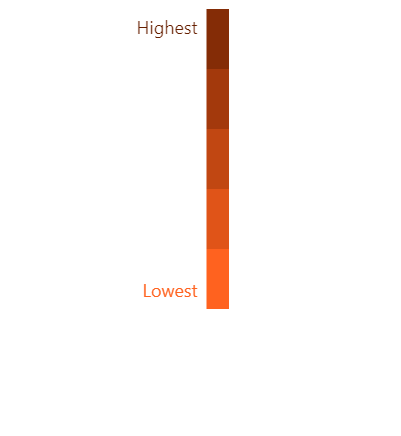
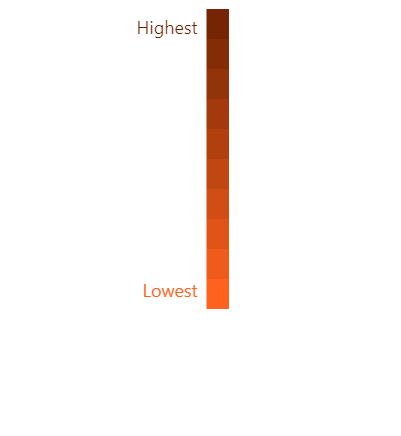
If we would rather it display incremental steps, we can set legend’s stepCount setting.
It accepts any integer value.
var heatLegend = chart.children.push( am5.HeatLegend.new(root, { orientation: "vertical", startColor: am5.color(0xff621f), endColor: am5.color(0x661f00), startText: "Lowest", endText: "Highest", stepCount: 10 }));var heatLegend = chart.children.push( am5.HeatLegend.new(root, { orientation: "vertical", startColor: am5.color(0xff621f), endColor: am5.color(0x661f00), startText: "Lowest", endText: "Highest", stepCount: 10 }));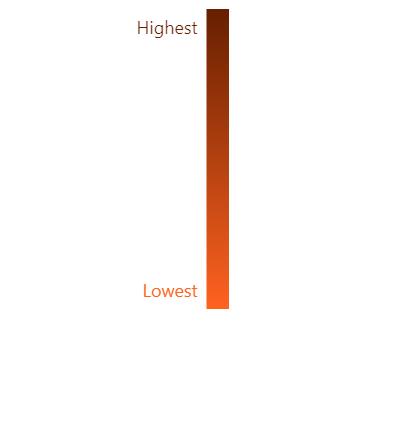
More than two colors
Section titled “More than two colors”For a scale through more than two colors, e.g. red to yellow to green, use colors instead of startColor and endColor. The colors go from the lowest value end to the highest:
let heatLegend = chart.children.push( am5.HeatLegend.new(root, { orientation: "vertical", colors: [ root.interfaceColors.get("negative"), root.interfaceColors.get("warning"), root.interfaceColors.get("positive") ] }));var heatLegend = chart.children.push( am5.HeatLegend.new(root, { orientation: "vertical", colors: [ root.interfaceColors.get("negative"), root.interfaceColors.get("warning"), root.interfaceColors.get("positive") ] }));By default, the legend shows a gradient through all the colors, spread evenly along it. With stepCount set to anything above 1, it shows one step per color instead: the number itself is ignored.
Tooltips shown with showValue() take their color from the same scale.
Tooltip
Section titled “Tooltip”Setting scale
Section titled “Setting scale”In order for legend to be able to show value-sensitive tooltips, we need to assign it an actual value range using its startValue and endValue settings.
var heatLegend = chart.children.push( am5.HeatLegend.new(root, { orientation: "vertical", startColor: am5.color(0xff621f), endColor: am5.color(0x661f00), startValue: 0, endValue: 1000 }));var heatLegend = chart.children.push( am5.HeatLegend.new(root, { orientation: "vertical", startColor: am5.color(0xff621f), endColor: am5.color(0x661f00), startValue: 0, endValue: 1000 }));If we don’t know extreme values, we can extract that from series, when its data is validated:
series.events.on("datavalidated", function () { heatLegend.set("startValue", series.getPrivate("valueLow")); heatLegend.set("endValue", series.getPrivate("valueHigh"));});series.events.on("datavalidated", function () { heatLegend.set("startValue", series.getPrivate("valueLow")); heatLegend.set("endValue", series.getPrivate("valueHigh"));});Triggering tooltip
Section titled “Triggering tooltip”To trigger the legend to show a tooltip at specific value, we can use its showValue() method.
heatLegend.showValue(500);heatLegend.showValue(500);We can also specify the optional text and color of tooltip by passing them in as a second and third parameter to showValue respectively.
heatLegend.showValue(500, "Hot!", am5.color(0xff0000));heatLegend.showValue(500, "Hot!", am5.color(0xff0000));We can combine this with "over" events on related series items to automatically trigger heat legend tooltip with their value:
polygonSeries.mapPolygons.template.events.on("pointerover", function(ev) { heatLegend.showValue(ev.target.dataItem.get("value"));});polygonSeries.mapPolygons.template.events.on("pointerover", function(ev) { heatLegend.showValue(ev.target.dataItem.get("value"));});