Comparison control
Comparison control can be added to stock toolbar, and is used to interactively add additional series to the Stock chart, so that they can be compared to main series.
Adding
Section titled “Adding”Like any other control, it should be instantiated using new() syntax, and pushed into toolbar’s controls list:
// Add comparison controllet comparisonControl = am5stock.ComparisonControl.new(root, {  stockChart: stockChart,  items: []});
// Add toolbarlet toolbar = am5stock.StockToolbar.new(root, {  container: document.getElementById("chartcontrols"),  stockChart: stockChart,  controls: [    comparisonControl  ]});
// Add comparison controlvar comparisonControl = am5stock.ComparisonControl.new(root, { stockChart: stockChart, items: []});
// Add toolbarvar toolbar = am5stock.StockToolbar.new(root, { container: document.getElementById("chartcontrols"), stockChart: stockChart, controls: [ comparisonControl ]});This will add a control, but it won’t be useful because it doesn’t have any items to choose from, nor events to create compared series in.
List items
Section titled “List items”There are two ways to populate the list with: providing static item array and/or search callbacks.
Static item list
Section titled “Static item list”To provide a list of items to choose from, we can use control’s items setting.
It accepts an array of objects like this:
{ label: "Apple", subLabel: "AAPL", id: "AAPL"}The label and id are required, whereas subLabel is optional.
Let’s try and add a couple of items:
// Add comparison controllet comparisonControl = am5stock.ComparisonControl.new(root, {  stockChart: stockChart,  items: [    { label: "Apple", subLabel: "AAPL", id: "AAPL" },    { label: "Tesla", subLabel: "TSLA", id: "TSLA" },  ]});
// Add toolbarlet toolbar = am5stock.StockToolbar.new(root, {  container: document.getElementById("chartcontrols"),  stockChart: stockChart,  controls: [    comparisonControl  ]});
// Add comparison controlvar comparisonControl = am5stock.ComparisonControl.new(root, { stockChart: stockChart, items: [ { label: "Apple", subLabel: "AAPL", id: "AAPL" }, { label: "Tesla", subLabel: "TSLA", id: "TSLA" } ]});
// Add toolbarvar toolbar = am5stock.StockToolbar.new(root, { container: document.getElementById("chartcontrols"), stockChart: stockChart, controls: [ comparisonControl ]});Now, when we click the control, we’ll get two items to choose from:
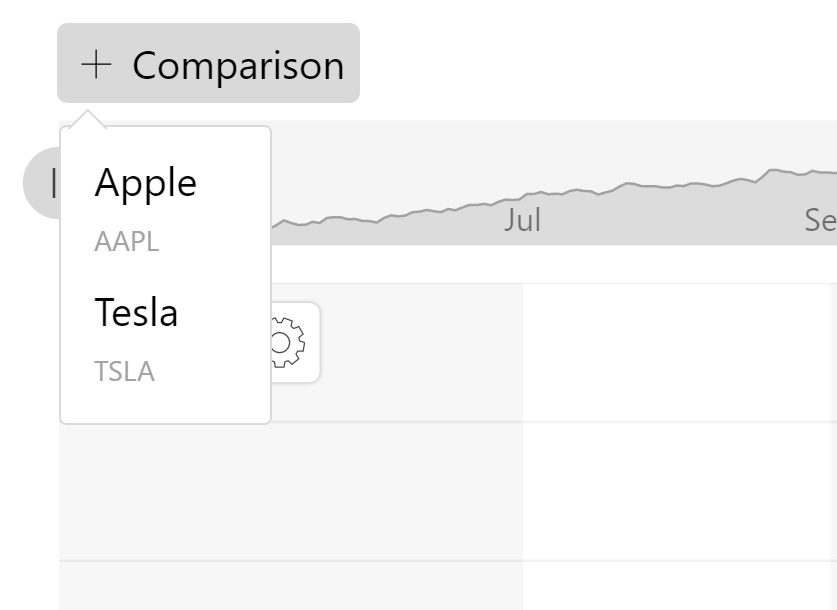
Enabling search
Section titled “Enabling search”If we would like out list to be searchable, we need to enable it by setting searchable: true in control’s settings:
// Add comparison controllet comparisonControl = am5stock.ComparisonControl.new(root, {  stockChart: stockChart, searchable: true,  items: [    { label: "Apple", subLabel: "AAPL", id: "AAPL" },    { label: "Tesla", subLabel: "TSLA", id: "TSLA" },  ]});
// Add toolbarlet toolbar = am5stock.StockToolbar.new(root, {  container: document.getElementById("chartcontrols"),  stockChart: stockChart,  controls: [    comparisonControl  ]});
// Add comparison controlvar comparisonControl = am5stock.ComparisonControl.new(root, { stockChart: stockChart, searchable: true, items: [ { label: "Apple", subLabel: "AAPL", id: "AAPL" }, { label: "Tesla", subLabel: "TSLA", id: "TSLA" } ]});
// Add toolbarvar toolbar = am5stock.StockToolbar.new(root, { container: document.getElementById("chartcontrols"), stockChart: stockChart, controls: [ comparisonControl ]});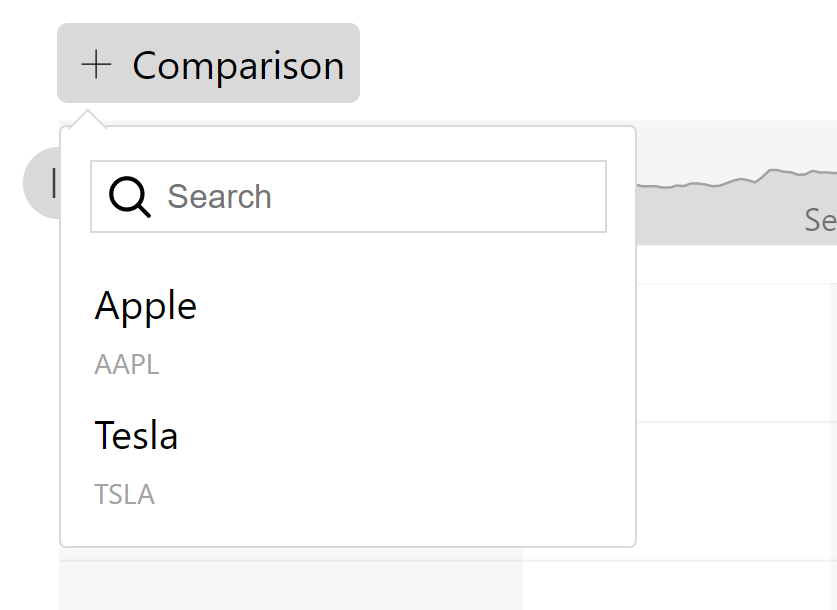
Dynamic search results
Section titled “Dynamic search results”We can also hook up a custom function, that would provide dynamic item list based on what user is typing into the search box of the control.
For that we have a setting searchCallback which should be set to a function that accepts query string as a parameter, and returns an item array or a Promise.
// Add comparison controllet comparisonControl = am5stock.ComparisonControl.new(root, {  stockChart: stockChart,  searchable: true,  searchCallback: function(query) {    // ...  }});
// Add toolbarlet toolbar = am5stock.StockToolbar.new(root, {  container: document.getElementById("chartcontrols"),  stockChart: stockChart,  controls: [    comparisonControl  ]});
// Add comparison controlvar comparisonControl = am5stock.ComparisonControl.new(root, { stockChart: stockChart, searchable: true, searchCallback: function(query) { // ... }});
// Add toolbarvar toolbar = am5stock.StockToolbar.new(root, { container: document.getElementById("chartcontrols"), stockChart: stockChart, controls: [ comparisonControl ]});The reason why the callback would return a Promise is that it would allow search results to be loaded asynchronously, such as ones loaded via AJAX.
Adding series
Section titled “Adding series”After comparison item is selected, we need to actually create a series for it, configure and load data for it, then provide it to the chart using addComparingSeries() method.
To catch the moment item is selected, we’ll use comparison control’s selected event.
comparisonControl.events.on("selected", function(ev) { let item = ev.item; let series = am5xy.LineSeries.new(root, { name: item.subLabel, valueYField: "Close", calculateAggregates: true, valueXField: "Date", xAxis: dateAxis, yAxis: valueAxis, legendValueText: "{valueY.formatNumber('#.00')}" }); let comparingSeries = stockChart.addComparingSeries(series); comparingSeries.data.set(newData);});comparisonControl.events.on("selected", function(ev) { var item = ev.item; var series = am5xy.LineSeries.new(root, { name: item.subLabel, valueYField: "Close", calculateAggregates: true, valueXField: "Date", xAxis: dateAxis, yAxis: valueAxis, legendValueText: "{valueY.formatNumber('#.00')}" }); var comparingSeries = stockChart.addComparingSeries(series); comparingSeries.data.set(newData);});Asynchronous data
Section titled “Asynchronous data”We can load data for the loaded series asynchronously, too.
comparisonControl.events.on("selected", function(ev) {  let item = ev.item;  let series = am5xy.LineSeries.new(root, {    name: item.subLabel,    valueYField: "Close",    calculateAggregates: true,    valueXField: "Date",    xAxis: dateAxis,    yAxis: valueAxis,    legendValueText: "{valueY.formatNumber('#.00')}"  });  let comparingSeries = stockChart.addComparingSeries(series);  loadData(item.subLabel, [comparingSeries]);});
function loadData(ticker, series) {
  // Load external data  // https://www.amcharts.com/docs/v5/charts/xy-chart/series/#Setting_data  am5.net.load("https://mywebserver.com/data/" + ticker + ".csv").then(function(result) {
    // Parse loaded data    let data = am5.CSVParser.parse(result.response, {      delimiter: ",",      skipEmpty: true,      useColumnNames: true    });
    // Process data (convert dates and values)    let processor = am5.DataProcessor.new(root, {      dateFields: ["Date"],      dateFormat: "yyyy-MM-dd",      numericFields: ["Open", "High", "Low", "Close", "Adj Close", "Volume"]    });    processor.processMany(data);
    // Set data    am5.array.each(series, function(item) {      item.data.setAll(data);    });  });
}comparisonControl.events.on("selected", function(ev) { var item = ev.item; var series = am5xy.LineSeries.new(root, { name: item.subLabel, valueYField: "Close", calculateAggregates: true, valueXField: "Date", xAxis: dateAxis, yAxis: valueAxis, legendValueText: "{valueY.formatNumber('#.00')}" }); var comparingSeries = stockChart.addComparingSeries(series); loadData(item.subLabel, [comparingSeries]);});
function loadData(ticker, series) {
// Load external data // https://www.amcharts.com/docs/v5/charts/xy-chart/series/#Setting_data am5.net.load("https://mywebserver.com/data/" + ticker + ".csv").then(function(result) {
// Parse loaded data var data = am5.CSVParser.parse(result.response, { delimiter: ",", skipEmpty: true, useColumnNames: true });
// Process data (convert dates and values) var processor = am5.DataProcessor.new(root, { dateFields: ["Date"], dateFormat: "yyyy-MM-dd", numericFields: ["Open", "High", "Low", "Close", "Adj Close", "Volume"] }); processor.processMany(data);
// Set data am5.array.each(series, function(item) { item.data.setAll(data); }); });
}Percent scale
Section titled “Percent scale”By default, adding a comparison series will switch the chart into a “percent mode”.
For more information, check out “Percent mode” tutorial.