Funnel, pyramid, and pictorial charts
This tutorial will walk through common steps of creating sliced charts with funnel, pyramid, and pictorial stacked series.
Loading required modules
Section titled “Loading required modules”Everything required to create percent charts are two amCharts 5 modules: “index” and “percent”.
You can import those in your TypeScript / ES6 application as JavaScript modules:
import * as am5 from "@amcharts/amcharts5";import * as am5percent from "@amcharts/amcharts5/percent";For vanilla JavaScript applications and web pages, you can use “script” version:
<script src="https://cdn.amcharts.com/lib/5/index.js"></script><script src="https://cdn.amcharts.com/lib/5/percent.js"></script>Instantiating the chart
Section titled “Instantiating the chart”As with any chart type in amCharts 5, we’ll need to start with creation of the Root element.
In it we will create an instance of SliceChart class to create a pie chart
let root = am5.Root.new("chartdiv");let chart = root.container.children.push( am5percent.SlicedChart.new(root, {}));var root = am5.Root.new("chartdiv");var chart = root.container.children.push( am5percent.SlicedChart.new(root, {}));Series
Section titled “Series”Adding
Section titled “Adding”Like everywhere else, we use series’ new() method to instantiate series, then push it into series list of the chart:
let series = chart.series.push( am5percent.FunnelSeries.new(root, { name: "Series", categoryField: "country", valueField: "sales", orientation: "vertical" }));var series = chart.series.push( am5percent.FunnelSeries.new(root, { name: "Series", categoryField: "country", valueField: "sales", orientation: "vertical" }));The following series types are supported in a sliced chart:
These series types are available for percent charts:
| Class | Comment | |
|---|---|---|
FunnelSeries |
A horizontal or vertical funnel. | More info |
PyramidSeries |
A horizontal or vertical pyramid. | More info |
PictorialStackedSeries |
A horizontal or vertical custom shape. | More info |
Data fields
Section titled “Data fields”Sliced chart series require two to dimensions of data: a string-based category and a numeric value.
Data fields basically mean which keys in data objects to look for specific value.
They can be set via series’ settings categoryField and valueField.
Let’s take sample data:
[{ stage: "Stage #1", sales: 100000}, { stage: "Stage #2", applicants: 70000}, { stage: "Stage #3", applicants: 5500}]The following data fields would need to describe data fields like this:
let series = chart.series.push( am5xy.FunnelSeries.new(root, { name: "Series", categoryField: "stage", valueField: "applicants" }));var series = chart.series.push( am5xy.FunnelSeries.new(root, { name: "Series", categoryField: "stage", valueField: "applicants" }));Setting data
Section titled “Setting data”The data is set directly on series via its data property:
series.data.setAll([{ stage: "Stage #1", applicants: 100000}, { stage: "Stage #2", applicants: 70000}, { stage: "Stage #3", applicants: 5500}]);series.data.setAll([{ stage: "Stage #1", sales: 100000}, { stage: "Stage #2", applicants: 70000}, { stage: "Stage #3", applicants: 5500}]);For more information about setting data to series, refer to “Percent series: Setting data”.
Slice colors
Section titled “Slice colors”A series will automatically assign a different color to each of its slice.
The colors are defined in a theme used by the chart, and can be overridden in a number of ways.
For more information about it, refer to “Percent series: Slice colors”.
Legend
Section titled “Legend”To add a legend, we simply need to create an instance of a Legend class (which is a part of “core” package), push it to chart’s children (or any other place we want it to be), as well as set its data (in case of percent chart, we will probably want to have each slice as a legend item).
let legend = chart.children.push(am5.Legend.new(root, {  centerX: am5.percent(50),  x: am5.percent(50),  layout: root.horizontalLayout}));
legend.data.setAll(series.dataItems);
var legend = chart.children.push(am5.Legend.new(root, { centerX: am5.percent(50), x: am5.percent(50), layout: root.horizontalLayout}));
legend.data.setAll(series.dataItems);Complete example
Section titled “Complete example”import * as am5 from "@amcharts/amcharts5";import * as am5percent from "@amcharts/amcharts5/percent";
let chart = root.container.children.push( am5percent.SlicedChart.new(root, { layout: root.horizontalLayout }));
// Define datavar data = [{ country: "Stage #1", sales: 100000}, { country: "Stage #2", sales: 70000}, { country: "Stage #3", sales: 5500}];
// Create serieslet series = chart.series.push( am5percent.FunnelSeries.new(root, { name: "Series", valueField: "sales", categoryField: "country", orientation: "vertical", alignLabels: true }));series.data.setAll(data);
// Add legendlet legend = chart.children.push(am5.Legend.new(root, { centerX: am5.percent(50), y: am5.percent(50), layout: root.verticalLayout}));
legend.data.setAll(series.dataItems);<script src="https://cdn.amcharts.com/lib/5/index.js"></script><script src="https://cdn.amcharts.com/lib/5/percent.js"></script>
<div id="chartdiv"></div>
<script>var chart = root.container.children.push( am5percent.SlicedChart.new(root, { layout: root.horizontalLayout }));
// Define datavar data = [{ country: "Stage #1", sales: 100000}, { country: "Stage #2", sales: 70000}, { country: "Stage #3", sales: 5500}];
// Create seriesvar series = chart.series.push( am5percent.FunnelSeries.new(root, { name: "Series", valueField: "sales", categoryField: "country", orientation: "vertical", alignLabels: true }));series.data.setAll(data);
// Add legendvar legend = chart.children.push(am5.Legend.new(root, { centerX: am5.percent(50), y: am5.percent(50), layout: root.verticalLayout}));
legend.data.setAll(series.dataItems);</script>Multiple series
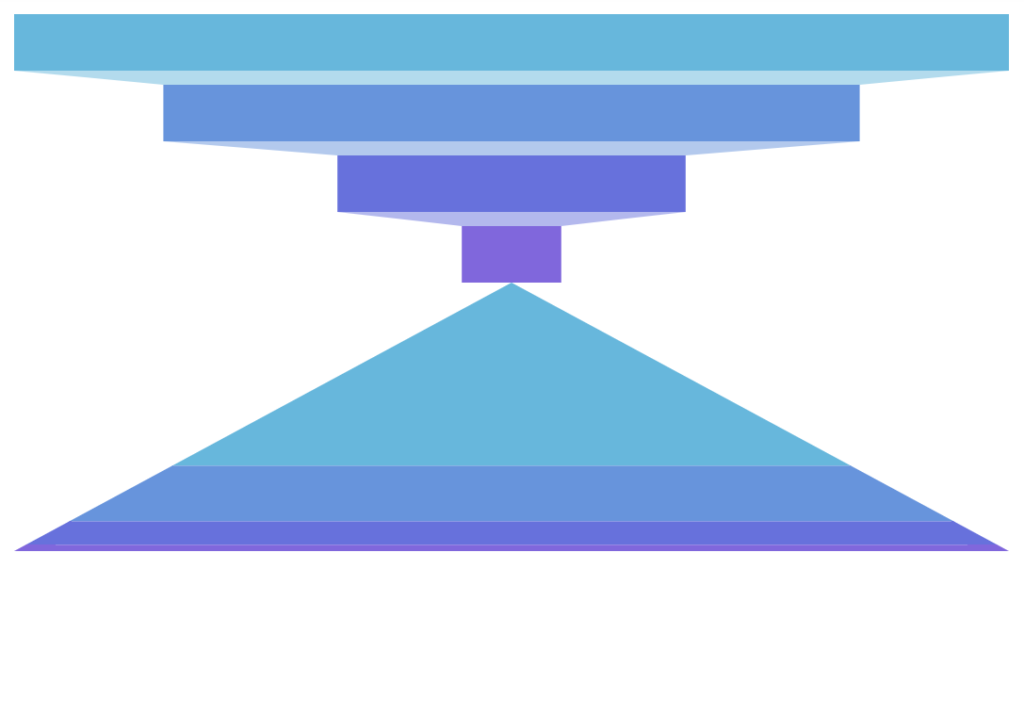
Section titled “Multiple series”Sliced chart supports multiple series of any type: funnel, pyramid, or pictorial stacked.
We can also mix and match different types of series on a single chart.
All series we add, will be placed next to each other horizontally, divvying up the space in equal spaces.
If we’d like to rather arrange series vertically, we will need to change layout for chart’s seriesContainer:
chart.seriesContainer.set("layout", root.verticalLayout);chart.seriesContainer.set("layout", root.verticalLayout);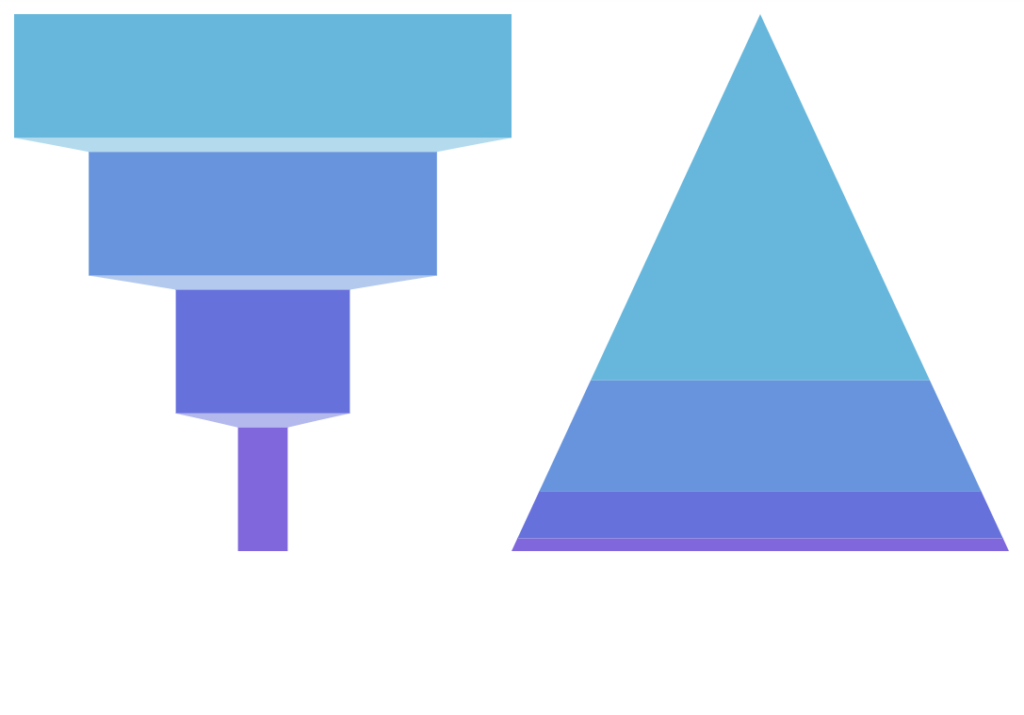
Animation
Section titled “Animation”Normally, created series will appear on chart right away. Should we want to make it play out initial animation, we can call it’s appear() method right after creating its object.
appear() method can also be called on the chart itself.
let series = chart.series.push( am5percent.FunnelSeries.new(root, { name: "Series", categoryField: "stage", valueField: "applicants" }));series.appear();chart.appear();var series = chart.series.push( am5percent.FunnelSeries.new(root, { name: "Series", categoryField: "stage", valueField: "applicants" }));series.appear();chart.appear();Bullets
Section titled “Bullets”Bullets can be added to a sliced series just like any other kind of series:
series.bullets.push(function(root) { return am5.Bullet.new(root, { sprite: am5.Label.new(root, { text: "{category2}", centerX: am5.p50, centerY: am5.p50, populateText: true }) });});series.bullets.push(function(root) { return am5.Bullet.new(root, { sprite: am5.Label.new(root, { text: "{category2}", centerX: am5.p50, centerY: am5.p50, populateText: true }) });});Here’s an example: