

Using PDF export fonts
Exporting a chart with related textual information to PDF will not work properly if you have a non-Latin language. This tutorial will show how to overcome this.
The problem
Section titled “The problem”When exporting charts to PDF, the resulting document can contain not just image of chart snapshot, but also textual information, like title, data table, and virtually any custom text.
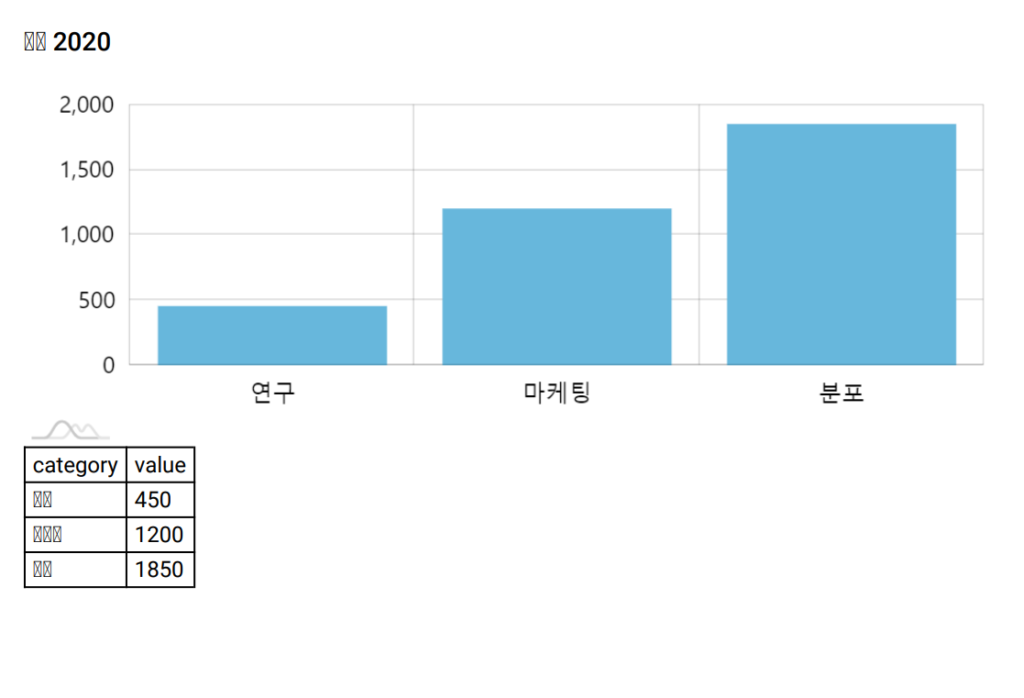
The default font bundled with amCharts 4 that is used in the PDFs, contains only characters for Latin-based languages.
Should you try to export text in any some other charset, like Chinese, Japanese, or Korean, you’d get garbage characters instead of real symbols.
Consider this chart:
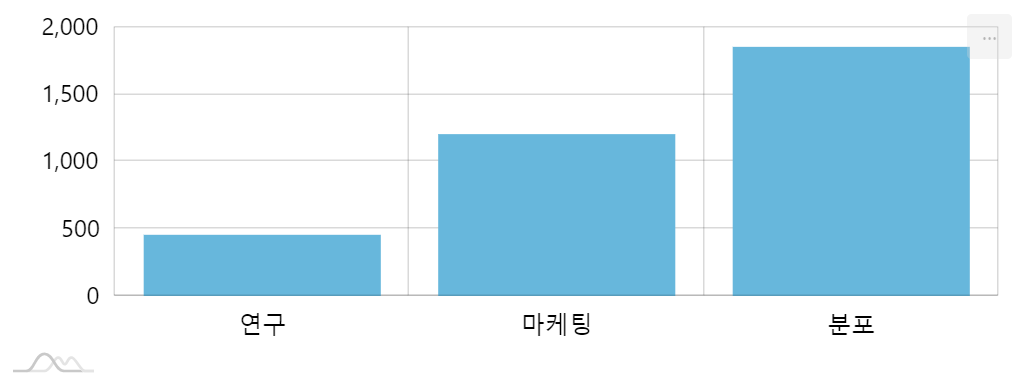
It has Korean category names. We also want to add a title and chart data into resulting PDF:
let pdf = chart.exporting.formatOptions.getKey("pdf");chart.exporting.title = "예산 2020";pdf.addData = true;pdf.addURL = false;var pdf = chart.exporting.formatOptions.getKey("pdf");chart.exporting.title = "예산 2020";pdf.addData = true;pdf.addURL = false;{ // ... "exporting": { // ... "formatOptions": { "pdf": { "addData": true, "addURL": false } } }}If we export it now, we’d get something like this:
The solution
Section titled “The solution”That’s where PDF export setting font and amcharts4-fonts package come in.
The latter, is a downloadable/installable collection of font files for different languages. The former is a way to specify which font out of the font package to use for PDFs.
Loading a font
Section titled “Loading a font”amCharts 4 has a separate repository/package/archive that holds fonts for a variety of languages.
Depending on what type of setup you have you may need to acquire it from a different source.
NPM package
Section titled “NPM package”To get all available fonts, install the @amcharts/amcharts4-fonts package:
npm install @amcharts/amcharts4-fontsThen you can access each specific font as a module:
import am4fonts_notosans_kr from "@amchats/amcharts4-fonts/notosans-kr";JavaScript script
Section titled “JavaScript script”Font files are provided in plain JS files that you can load using <script> tags:
<script src="https://cdn.amcharts.com/lib/4/fonts/notosans-kr.js"></script>The file will create a global variable am4fonts_notosans_kr which you can use later in the code.
List of available fonts
Section titled “List of available fonts”| Font | Language | Global variable |
|---|---|---|
| Cairo | Arabic | am4fonts_cairo_arabic |
| NotoSans JP | Japanese | am4fonts_notosans_jp |
| NotoSans KR | Korean | am4fonts_notosans_kr |
| NotoSans SC | Simplified Chinese | am4fonts_notosans_sc |
| NotoSans TC | Traditional Chinese | am4fonts_notosans_tc |
| OpenSans | Cyrilic | am4fonts_pensans_cyrilic |
| Rubik | Hebrew | am4fonts_rubik_hebrew |
| Sarabun | Thai | am4fonts_sarabun_thai |
Using loaded font
Section titled “Using loaded font”Now that we have our font loaded, we need to instruct our export to use that font.
To do that, we’ll use PDF-specific setting font - for both “pdf” and “pdfdata” export formats:
let pdf = chart.exporting.formatOptions.getKey("pdf");pdf.font = am4fonts_notosans_kr;
let pdfdata = chart.exporting.formatOptions.getKey("pdfdata");pdfdata.font = am4fonts_notosans_kr;
var pdf = chart.exporting.formatOptions.getKey("pdf");pdf.font = am4fonts_notosans_kr;
var pdfdata = chart.exporting.formatOptions.getKey("pdfdata");pdfdata.font = am4fonts_notosans_kr;{ // ... "exporting": { // ... "formatOptions": { "pdf": { // ... "font": am4fonts_notosans_kr }, "pdfdata": { // ... "font": am4fonts_notosans_kr } } }}Now, let’s try exporting PDF again:
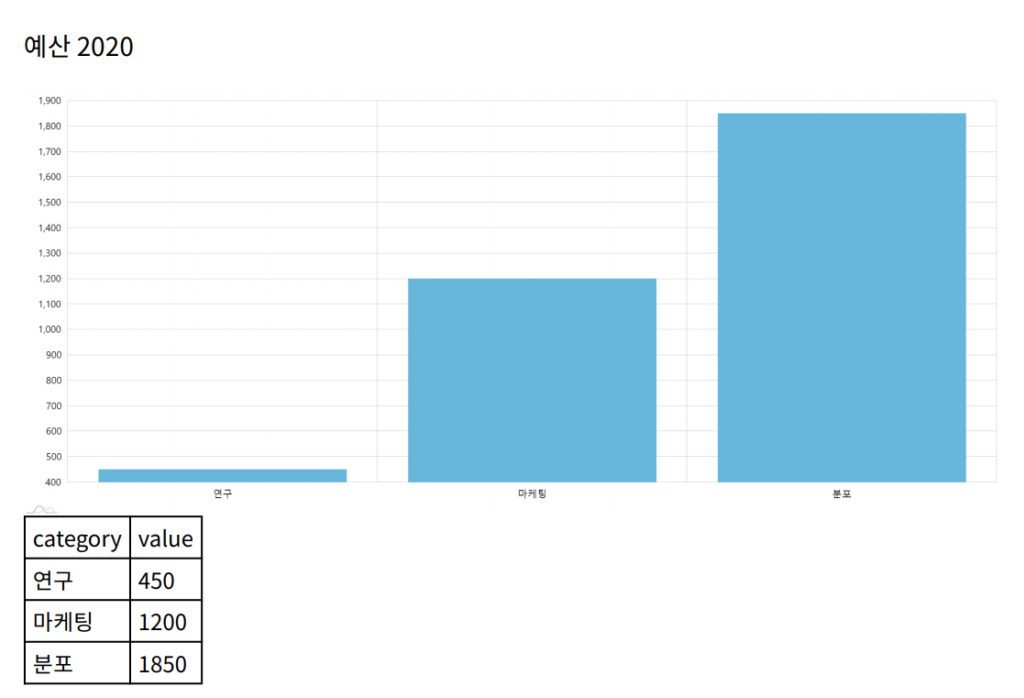
Example
Section titled “Example”Using multiple fonts
Section titled “Using multiple fonts”Information coming.
Creating your own fonts
Section titled “Creating your own fonts”Information coming.