

Using "d3-geo" projections
There are quite a few projections built-into amCharts 4. However, if you are not finding one that suits your needs, you can use one from “d3-geo” package. This tutorial will explain how.
Finding a D3 projection
Section titled “Finding a D3 projection”D3 has a list of supported projections on their GitHub page.
When sifting through the list, note the function name of your required projection. We’ll need to use it later on.
Using class-less projections
Section titled “Using class-less projections”Normally, each projection in amCharts 4 has its own class, which you can use to instantiate a projection object then assign it to map’s projection property, e.g.:
chart.projection = new am4maps.projections.Miller();chart.projection = new am4maps.projections.Miller();{ // ... "projection": "Miller"}For those projections that do not have one class (class-less projections) you can use a D3’s projection function, which normally starts with geo* and is accessible via am4maps.d3geo object.
To use such projection, we need to assign its function reference to our map’s projection.d3projection property.
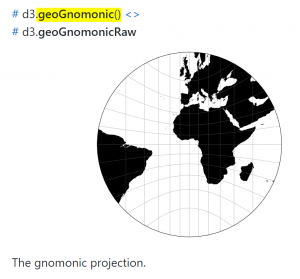
Say, we selected the “gnomonic” projection from the list. This means that we’ll need to use am4maps.d3geo.geoGnomonic() function:
chart.projection.d3Projection = am4maps.d3geo.geoGnomonic();chart.projection.d3Projection = am4maps.d3geo.geoGnomonic();{ // ... "projection": am4maps.d3geo.geoGnomonic()}Let’s try it out on a live chart:
Other D3 packages
Section titled “Other D3 packages”There are a lot of other projection packages that are not bundled with amCharts 4, like for instance d3-geo-projection and d3-composite-projections.
Those can also be used, but will require a few extra steps.
Including or importing
Section titled “Including or importing”Since those extra packages are not in amCharts 4, we’ll need to include them separately.
The method depends on what technology you are using.
Apps built with TypeScript or using ES6 modules
Section titled “Apps built with TypeScript or using ES6 modules”Since TS/ES6 modules support dependencies, meaning they will load the stuff they require, all you need to is install and import the package itself.
For example, to use d3-geo-projection, you’d first need to install it:
npm install d3-geo-projectionThen import it:
import * as d3 from "d3-geo-projection";Apps built using vanilla JavaScript
Section titled “Apps built using vanilla JavaScript”In plain JavaScript apps, you’ll need to include projection packages and their dependencies using <script> tags.
Follow each packages instructions on what files they require (if you are downloading them) or what CDN options there might be available.
For example, the d3-geo-projection requires three files:
<script src="https://d3js.org/d3-array.v1.min.js"></script><script src="https://d3js.org/d3-geo.v1.min.js"></script><script src="https://d3js.org/d3-geo-projection.v2.min.js"></script>While d3-composite-projections requires just two:
<script src="https://d3js.org/d3.v4.min.js"></script><script src="d3-composite-projections.js"></script>D3 projections, regardless of how you imported them are available as functions with a geo* prefix.
To use them, simply assign it to chart.projection.d3Projection just like we did with “class-less” bundled projections.
There’s one exception, though: unless you imported them somehow differently, they will be available in the global d3 scope, not in am4maps.geo.
chart.projection.d3Projection = d3.geoBaker();chart.projection.d3Projection = d3.geoBaker();{ // ... "projection": d3.geoBaker()}Updating projection dynamically
Section titled “Updating projection dynamically”Check out this demo which shows how you can change map projections dynamically.