

Using Albers USA projection
The most common depiction of a map of the United States is one that shows Alaska and Hawaii placed right below mainland USA. This allows this map to be more compact and usable, in comparison how it would be if both of those states were in their usual places. This way of depicting USA map is called “Albers USA projection”, and this short tutorial will explain how to use it.
Setting projection
Section titled “Setting projection”If you’re not sure what map projections are and how to use them, make sure you read up on it in “Setting projection”.
Or, if you’d rather jump straight in, here’s how you instruct your map to use Albers USA projection:
map.projection = new am4maps.projections.AlbersUsa();map.projection = new am4maps.projections.AlbersUsa();{ // ... "projection": "AlbersUsa"}Here’s how it affects the U.S. map:
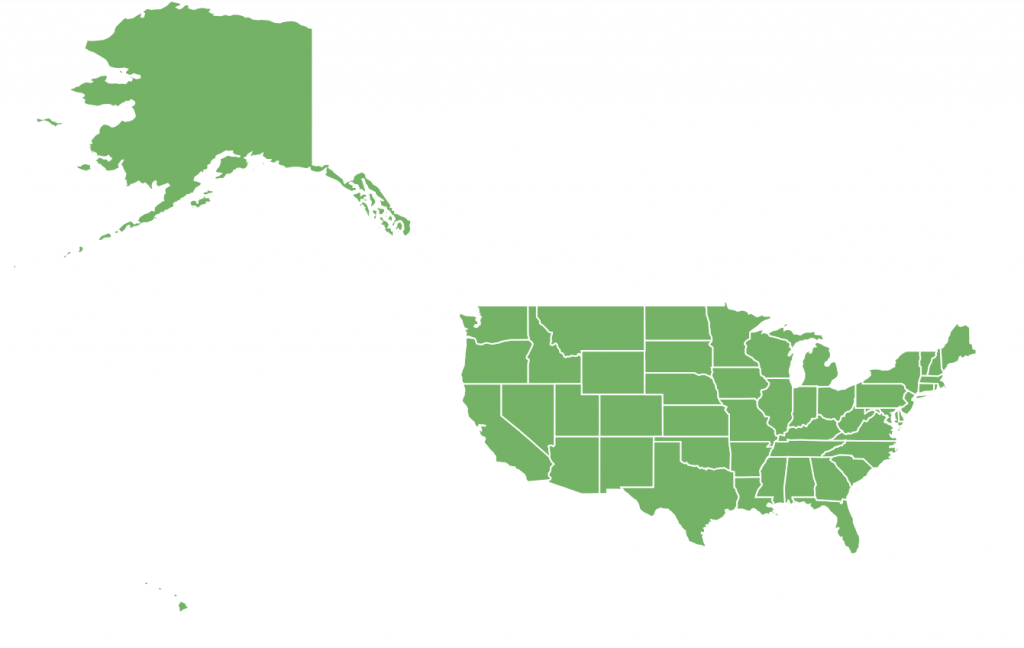
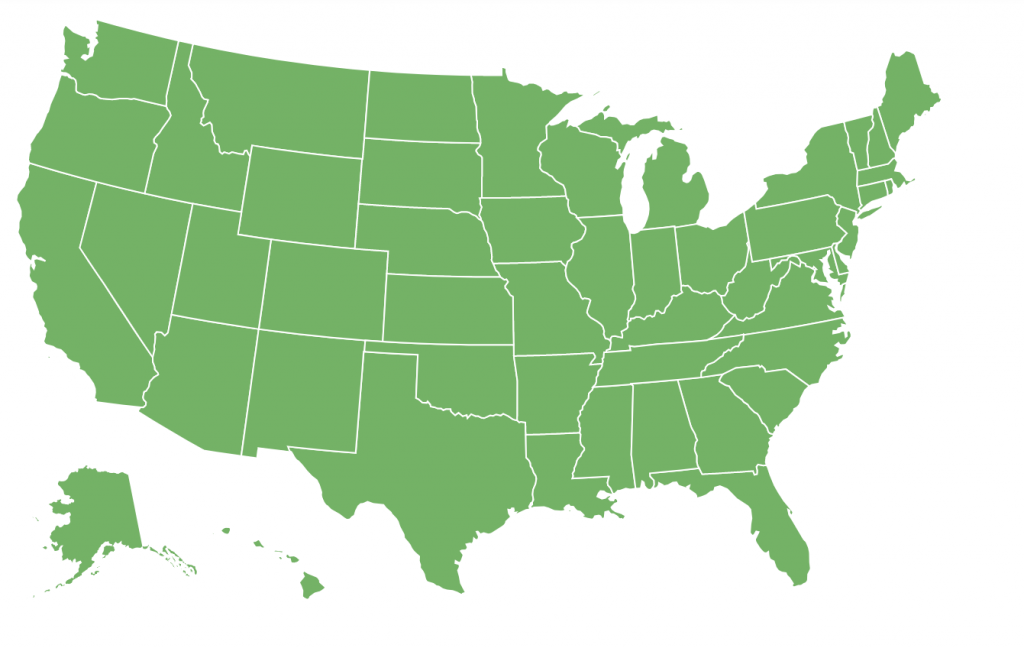
Same map, different view.
Which map to use?
Section titled “Which map to use?”Albers USA projection is meant for United States maps only. It won’t make a lot of sense in context of a world map, or a map of any other country for that matter.
We can use Albers USA with such U.S. state maps as usaLow/usaHigh, and usaTerritoriesLow/ usaTerritoriesLow, or with county maps like usaCountiesLow/usaCountiesHigh.
What about “usaAlbers” maps?
Section titled “What about “usaAlbers” maps?”Those are there for historical reasons only. Back from the day when we did not support Albers USA projection properly. If you’re still using usaAlbersLow or usaAlbersHigh map, make sure you switch to usaLow or usaHigh and enable Albers USA as it is described at the beginning of this tutorial.
Using Albers USA projection brings a big fat advantage over old Albers maps, like you can use real latitude/longitude coordinates to place markers in Alaska/Hawaii.
Caveats
Section titled “Caveats”There’s one limitation of this projection: it does not support map rotation. Either via deltaLongitude / deltaLatitude or via panBehavior.