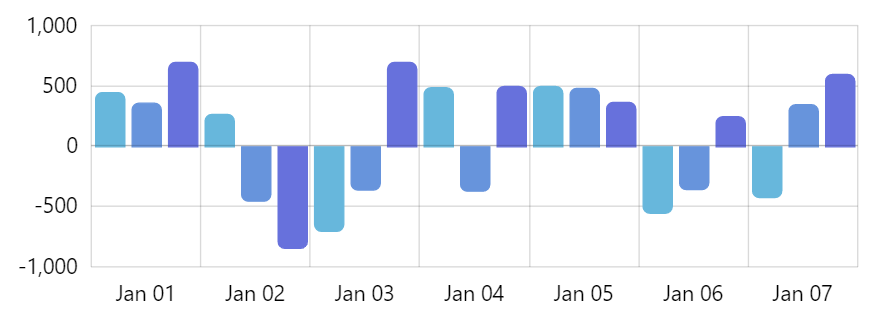
Adaptive column corner rounding for positive and negative values
This tutorial will show how we can use adapters to selectively apply rounding to columns of the ColumnSeries based on their value.
The problem
Section titled “The problem”Suppose we have this chart:
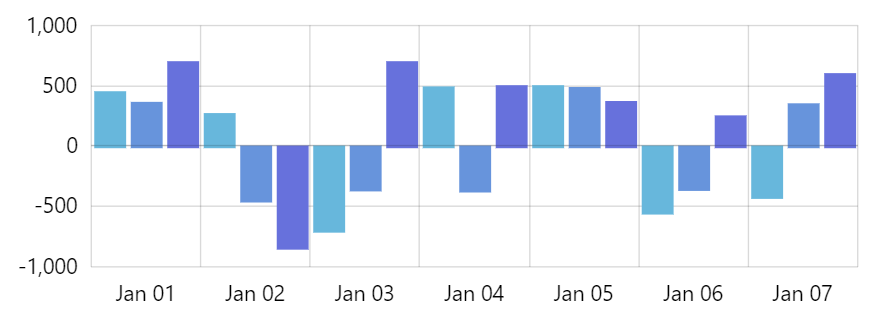
We want to round the corners of the tips of those columns.
The properties for columns that are responsible for rounding of top corners are cornerRadiusTopLeft and cornerRadiusTopRight.
series.columns.template.column.cornerRadiusTopLeft = 5;series.columns.template.column.cornerRadiusTopRight = 5;series.columns.template.column.cornerRadiusTopLeft = 5;series.columns.template.column.cornerRadiusTopRight = 5;{ // ... "series": [{ "columns": { "column": { "cornerRadiusTopLeft": 5, "cornerRadiusTopRight": 5 } } }]}However, if we do that, our negative-value columns look a bit off:
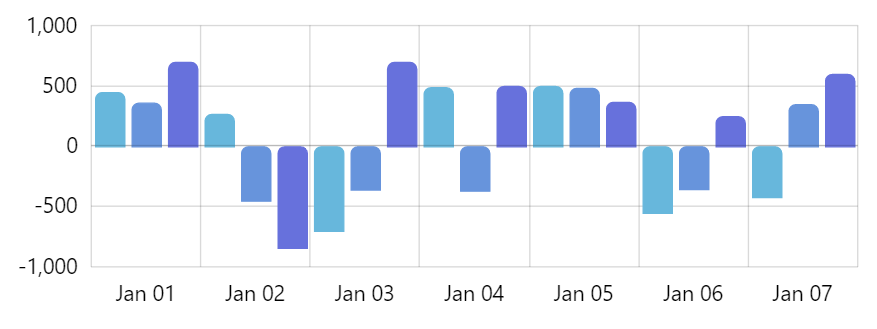
We could set bottom radii, too:
series.columns.template.column.cornerRadiusBottomLeft = 5;series.columns.template.column.cornerRadiusBottomRight = 5;series.columns.template.column.cornerRadiusBottomLeft = 5;series.columns.template.column.cornerRadiusBottomRight = 5;{ // ... "series": [{ "columns": { "column": { "cornerRadiusTopLeft": 5, "cornerRadiusTopRight": 5, "cornerRadiusBottomLeft": 5, "cornerRadiusBottomRight": 5 } } }]}But that would create another problem - all columns rounded on both ends:
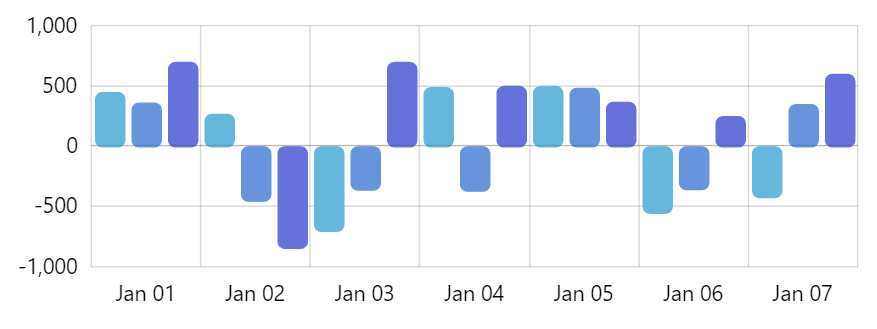
The solution
Section titled “The solution”We need something that would set corner radius dynamically, based on each columns individual value.
That’s where adapters come in.
SIDE INFO Adapters are custom functions that can be attached to each element and modify value of any property.
function topRadius(radius, target) {  return (target.dataItem && (target.dataItem.valueY < 0)) ? 0: 5;}
function bottomRadius(radius, target) {  return (target.dataItem && (target.dataItem.valueY > 0)) ? 0: 5;}
series.columns.template.column.adapter.add("cornerRadiusTopLeft", topRadius);series.columns.template.column.adapter.add("cornerRadiusTopRight", topRadius);series.columns.template.column.adapter.add("cornerRadiusBottomLeft", bottomRadius);series.columns.template.column.adapter.add("cornerRadiusBottomRight", bottomRadius);
function topRadius(radius, target) { return (target.dataItem && (target.dataItem.valueY < 0)) ? 0: 5;}
function bottomRadius(radius, target) { return (target.dataItem && (target.dataItem.valueY > 0)) ? 0: 5;}
series.columns.template.column.adapter.add("cornerRadiusTopLeft", topRadius);series.columns.template.column.adapter.add("cornerRadiusTopRight", topRadius);series.columns.template.column.adapter.add("cornerRadiusBottomLeft", bottomRadius);series.columns.template.column.adapter.add("cornerRadiusBottomRight", bottomRadius);{ // ... "series": [{ "columns": { "column": { "cornerRadiusTopLeft": function(radius, target) { return (target.dataItem && (target.dataItem.valueY < 0)) ? 0: 5; }, "cornerRadiusTopRight": function(radius, target) { return (target.dataItem && (target.dataItem.valueY < 0)) ? 0: 5; }, "cornerRadiusBottomLeft": function(radius, target) { return (target.dataItem && (target.dataItem.valueY > 0)) ? 0: 5; }, "cornerRadiusBottomRight": function(radius, target) { return (target.dataItem && (target.dataItem.valueY > 0)) ? 0: 5; } } } }]}Done!