

"3D" line series
This tutorial will show how you can easily create a “3D stack” effect on regular LineSeries.
Base chart
Section titled “Base chart”Let’s take this chart as an example:
Bit of a mess.
It would help, if we somehow would be able make each individual LineSeries stand out.
Enabling 3D
Section titled “Enabling 3D”The first step is to go from regular XYChart to its 3D descendant - XYChart3D:
var chart = am4core.create("chartdiv", am4charts.XYChart3D);chart.depth = 200;var chart = am4core.create("chartdiv", am4charts.XYChart3D);chart.depth = 200;var chart = am4core.createFromConfig({ "depth": 200, // ...}, "chartdiv", am4charts.XYChart3D);That enables 3D, but does not help us much:
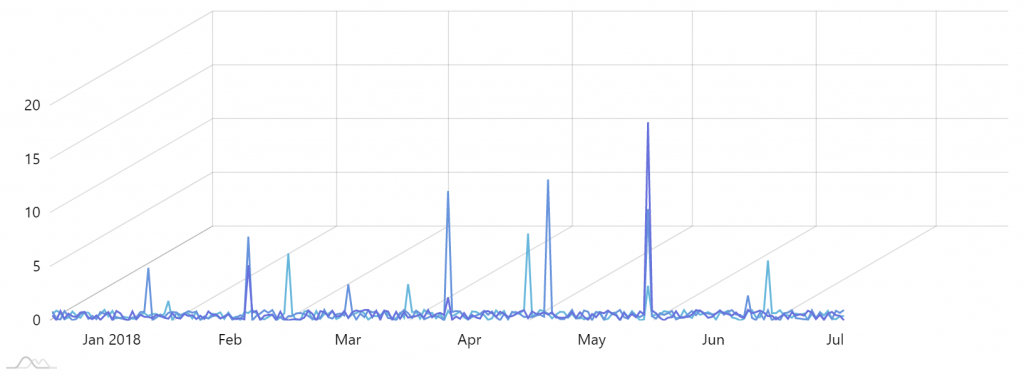
Shifting series
Section titled “Shifting series”The chart does not automatically shift LineSeries, so we’ll need to do it ourselves.
Luckily, position of literally anything in amCharts 4 can be fine-tuned using dx and dy properties.
So if we wanted to shift a series upwards and to the right, we could do something like this:
series.dx = 20;series.dy = -20;series.dx = 20;series.dy = -20;{ // ... "series": [{ // ... "dx": 20, "dy": -20 }]}This will shift the series 20 pixels to the right, and 20 pixels upwards.
That said, hard-coding positions is for wussies, right? Let’s automatically calculate the dx and dy based on the number of series and series index:
series.dx = chart.depth / (count) * am4core.math.cos(chart.angle) * index;series.dy = -chart.depth / (count) * am4core.math.sin(chart.angle) * index;series.dx = chart.depth / (count) * am4core.math.cos(chart.angle) * index;series.dy = -chart.depth / (count) * am4core.math.sin(chart.angle) * index;{ // ... "series": [{ // ... // We don't need to offset the first series "dx": 0, "dy": 0 }, { // … "dx": 200 / (3) * am4core.math.cos(30) * 1, "dy": -200 / (3) * am4core.math.sin(30) * 1 }, { // … "dx": 200 / (3) * am4core.math.cos(30) * 2, "dy": -200 / (3) * am4core.math.sin(30) * 2 }]}